Start with the apps your trip will actually use

Photo: HualinXMN / Wikimedia Commons / CC BY-SA 4.0

The essential apps for China travel are a short set, not a Chinese resident’s home screen. For most short trips that means a way to pay, a map you can operate, one translation tool, and a way to get a ride. Add a booking or messaging app only when this trip actually depends on it.
Download is the easy part. Several of these tools also want an account, a text message, a card, or a language pack. The baggage hall is a poor place to discover that a code never arrived. Do the accounts at home, on the number that already receives your texts.
Skip the rest until a specific plan needs it. A food-delivery app, a second map, and a metro app for a city you are not visiting do not make the first day easier.
Payment: Alipay and Weixin Pay
In cities, a meal, a metro ride, or a museum ticket is often paid by scanning a code. Two apps cover that for many visitors: Alipay, and the payment service inside WeChat.
The names are easy to mix. The app international visitors download is WeChat. The mainland payment product inside it is Weixin Pay, under Wallet. A WeChat account that can send messages is not yet a wallet. Weixin Pay is not a second app to hunt for.
Alipay is its own app. Ant Group says visitors can bind major international cards and use local services, including shopping, dining, ride-hailing, and public transport, without a mainland bank account or a mainland phone number. WeChat’s own help says the same kind of thing for Weixin Pay: an overseas number is enough if it can receive a text, a passport can be used for identity checks, and international cards are for everyday purchases in the mainland, not for every feature in the app. The app still accepts or refuses the specific card you hold. Weixin Pay’s card guide and Alipay’s note on international cards are the pages that move when the rules move.
Install one, or both, and finish the account before you fly. Link a card. Confirm the text arrives. Know where the payment screen is. Limits, which cards fail, and what to do with cash belong in paying in China, not in a list of apps.
Once the wallet works, it is also a door. Ride-hailing and transit often sit inside the same app as mini-programs. That is a reason to set the wallet up properly. It is not a reason to collect every mini-program on offer.
Maps: choose one before you need directions
The map on your phone at home may not be the one that gets you to the hotel. On an ordinary mainland connection, Google services often do not open at all. Map coverage, place data and navigation quality can differ in mainland China, so do not assume the map you normally use at home will be the best option for the trip.
On an iPhone, Apple Maps is the familiar English option. Routes need an internet connection. Offline maps are not available in every country or region, so check whether the download option appears for the area you need. Before you fly, search the hotel, save the pin, and see whether your phone will store an offline area. Apple’s offline-maps page is the place to check what your version of iOS actually allows. If the city is not there, a screenshot of the Chinese address still works with the signal off.
A local map, most often Amap (Gaode), usually has denser shops, transit, and Chinese place names. More of the screen may be in Chinese, and the version in your app store may not match the one residents use. Search the hotel by its Chinese name, not by a neighborhood description. If the app offers an offline city pack, download it on Wi-Fi at home. If it asks for a mainland number or will not switch into a language you read, it can still be the map you show a driver. It is not automatically the easier map for you.
You need one map you can operate, plus the address in Chinese saved outside that app. You do not need Baidu, Amap, Apple, and Google all installed “just in case.” Test the one you chose with the hotel name before you pack.
Translation: keep one tool ready
One translation tool is enough. Two more will not help if none of them has Chinese stored on the phone.
On an iPhone, Apple’s Translate app can download languages and run on the device. Apple lists Chinese (Mandarin, mainland China) among the languages, and says offline results may be less accurate than online ones. Download both sides of the pair, English and Chinese, before you fly. The steps are in Apple’s Translate settings. Turn on on-device mode if you want it to keep working when the connection is poor.
Google Translate can also store a language pack for offline use, including camera translation for some languages. Download that pack at home. Google services are among those that often fail on an ordinary mainland connection, so a pack you meant to fetch after landing may never arrive. If the app is already your habit, make the offline Chinese pack part of packing. If it is not, Apple’s tool on an iPhone is the simpler one to trust without a second account.
You do not also need Microsoft Translator, a scanner app, and a phrasebook app. Camera translation is useful for a menu or a sign. Try it once at home on a photo of Chinese text, so you know whether your pack supports it. A conversation in a taxi needs the spoken or typed mode, not another download.
Getting around: metro, ride-hailing and trains
The first ride is the one from the airport. For many visitors, Alipay can already handle ride-hailing and public transportation, while Weixin Pay covers everyday purchases, which can include paying for a ride. A separate taxi app is optional.


Add a standalone ride-hailing app only if you have checked that the version in your store dispatches cars in mainland China and takes the payment you already set up. A ride app from home can be a different service with the same logo. Sign in while your number still receives texts. You do not need this if the payment app already requests the car.
Metro apps are city tools. Download one after you know you will use that city’s system, not five of them before the route is fixed. Ticket machines and the transport entry inside a payment app cover a first ride. A city’s own app can wait until the trip actually includes that metro every day.
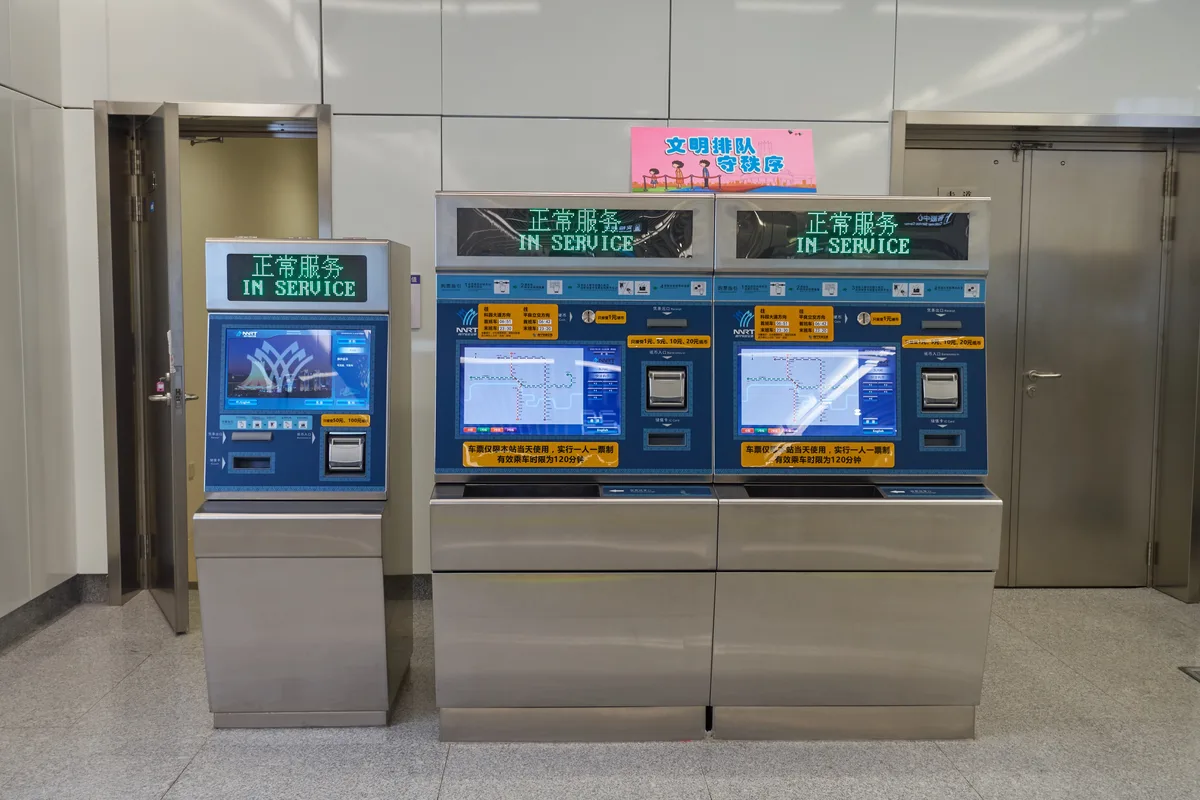

Trains are a different task, and only if this itinerary has one. China’s official railway site in English is 12306. On that English site, the accepted document for a foreign passenger is a valid passport, and the name has to match it. You can also buy at a station. This page is not the place to learn seat classes, stations, or refunds. If the trip has no train, skip 12306 entirely. When the trip does have one, the choice between a train, a flight, the metro, and a car is in getting around China.
Booking, food and everyday services
If the hotel and the flights are already booked, you do not need another booking app on the phone. Save the confirmation, and the hotel name in Chinese, where it opens with no signal.
A site such as Trip.com is optional for someone still buying a train or a room in English. It is not essential once those bookings exist, and it does not replace 12306 as the official railway record. Use it if you are still shopping. Delete the urgency if you are not.
Meituan and Dianping are how many residents order food and read restaurant pages. A short trip can eat without them. Their screens, logins, and payment paths are built for people who already live in that system. Unless a specific reservation tells you to use one, leave them off the phone. The same applies to a pile of airline apps for carriers you are not flying.
Messaging and the apps you already use at home
People meeting you in China will often use WeChat. That is a reason to have the account even when Weixin Pay is already handled in Alipay. Install it, sign in, and agree with them which chat will work on the first day.
Some of the apps and services you use at home, including WhatsApp, Instagram, and Google services, may not work normally on an ordinary mainland connection. Having the icon on the phone does not change that. The connection does. How a travel eSIM, roaming, a local SIM, and Wi-Fi differ is in internet on your phone in mainland China. Put the hotel’s phone number in the confirmation as well, so the plan does not depend on one chat app.
Set everything up before you fly
Do this in one sitting, while your number and your home internet still work. Check each app in the store on your own phone. A listing tied to another country, or an Android build that is not the mainland service, can be a different product. If it is not in your store, believe the store.
Finish the payment account and link a card, and wait for the text. Open the map, save the hotel in Chinese, and download an offline area if the app offers one. Download the translation language, and try one menu photo. Decide whether the ride comes from the payment app or from a separate app you have actually signed into. Save bookings where they open offline. Leave the home number able to receive codes. Do not delete it to make room for something else.
That is the phone. Entry, cash behind the wallet, and the ride from the airport sit with the rest of a first trip, in what to know before you go.